
18:10Machine-translated from Azerbaijani by AIRead in Azerbaijani
Firefox 157 Gets the New Nova Design and Brings Back Compact Mode

Mozilla has released a new version of its Firefox 157 browser. Its main new feature is Nova, which the company describes as the browser’s biggest visual change in recent years. The new interface has a softer, more colorful look, while the compact mode users have long awaited has also returned.
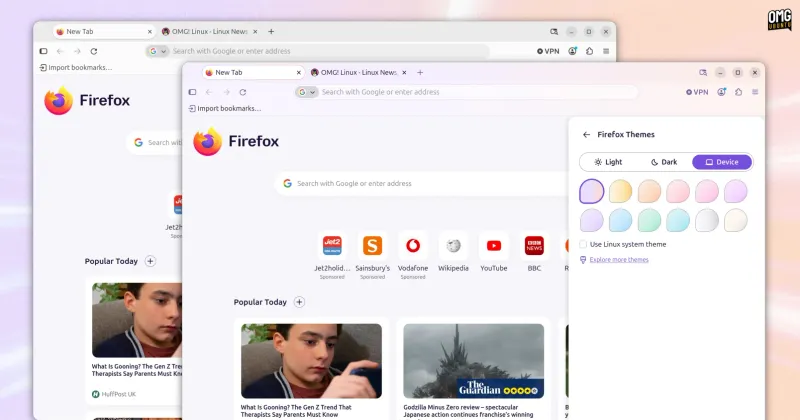
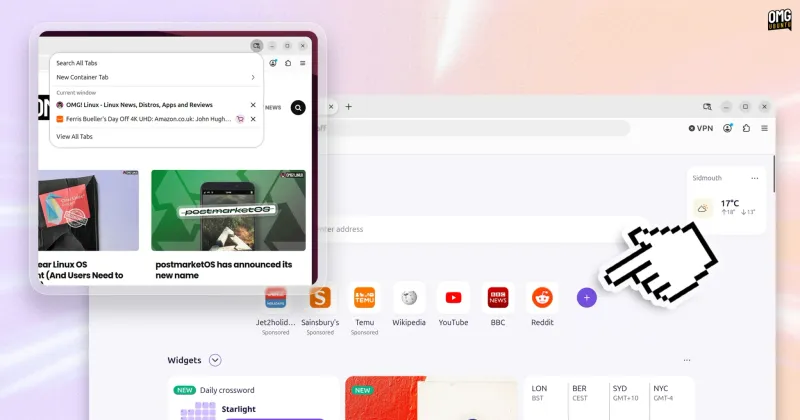
Nova gives Firefox’s main interface a more modern look without completely changing it. Tabs, menus, the address bar, the sidebar, search fields, and pop-up windows now have more rounded shapes. Pastel gradients are used at the top of the window. The new design is enabled by default on Windows and macOS. Linux users still have to enable Nova themselves for now.
Mozilla also tested a different approach to Nova in early test versions. Those versions created more open space around the toolbar, vertical tabs, and the web page. As a result, individual interface elements appeared to be “floating” inside the window. However, Mozilla abandoned this approach in the final version.
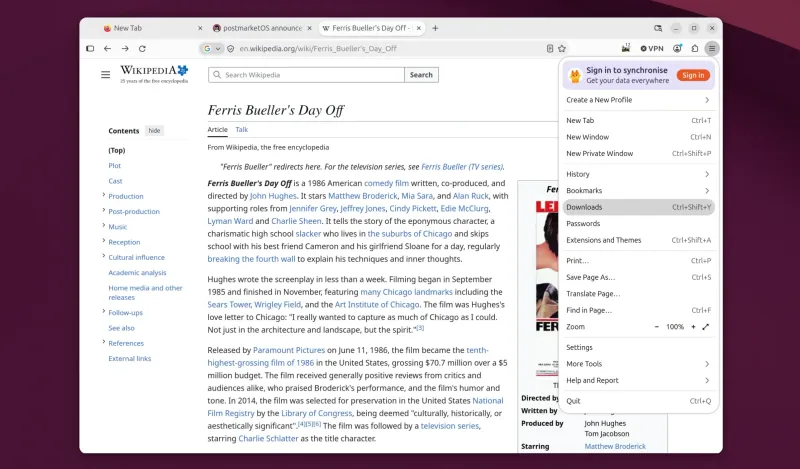
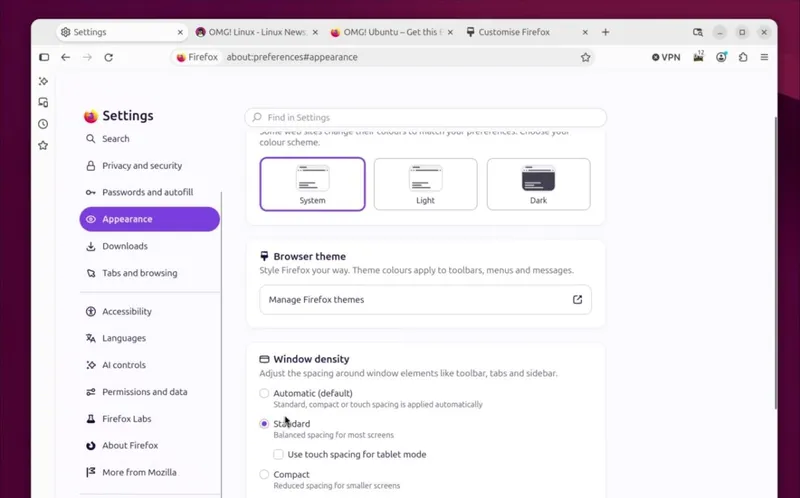
Compact mode has also officially returned with Firefox 157. This mode reduces the spacing in toolbars, tabs, and menus, leaving more room for the web page. Users can also select an automatic option, in which case the browser will switch to a denser interface based on the screen size and circumstances. Those who do not like the Nova design can disable it. To do so, they simply need to change the browser.nova.enabled setting to false in about:config:.
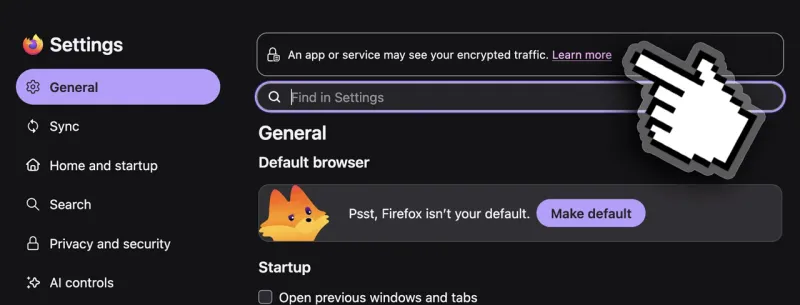
The update also includes some security and privacy changes. When encryption key logging through SSLKEYLOGFILE is enabled, Firefox now warns users both in the settings section and in the site information panel. Recommendations from Firefox Suggests have also begun appearing in the address bar in some European countries. These may include sponsored suggestions. Users can disable this feature in the search settings. Minor changes have also been made to the new tab page. The button for adding a custom shortcut is now always visible, while the icon that displays a list of all open tabs has been updated. In addition, Amazon has been removed from the list of built-in search engines.
Firefox 157 also brings several technical updates. Hardware decoding of the AV1 format for WebRTC video calls is supported on compatible devices. In addition, the behavior of the Tab key has changed. The key can now move focus to the text field in the address bar or search bar.
Firefox 157 can now be downloaded from Mozilla’s servers. The update is also available for Windows, macOS, and Linux, and on Linux it is offered through Flathub and the Snap Store as well as through distributions’ own repositories.