
10:25Machine-translated from Azerbaijani by AIRead in Azerbaijani
Google Starts Fixing Disappearing Signal Icon in Android Auto
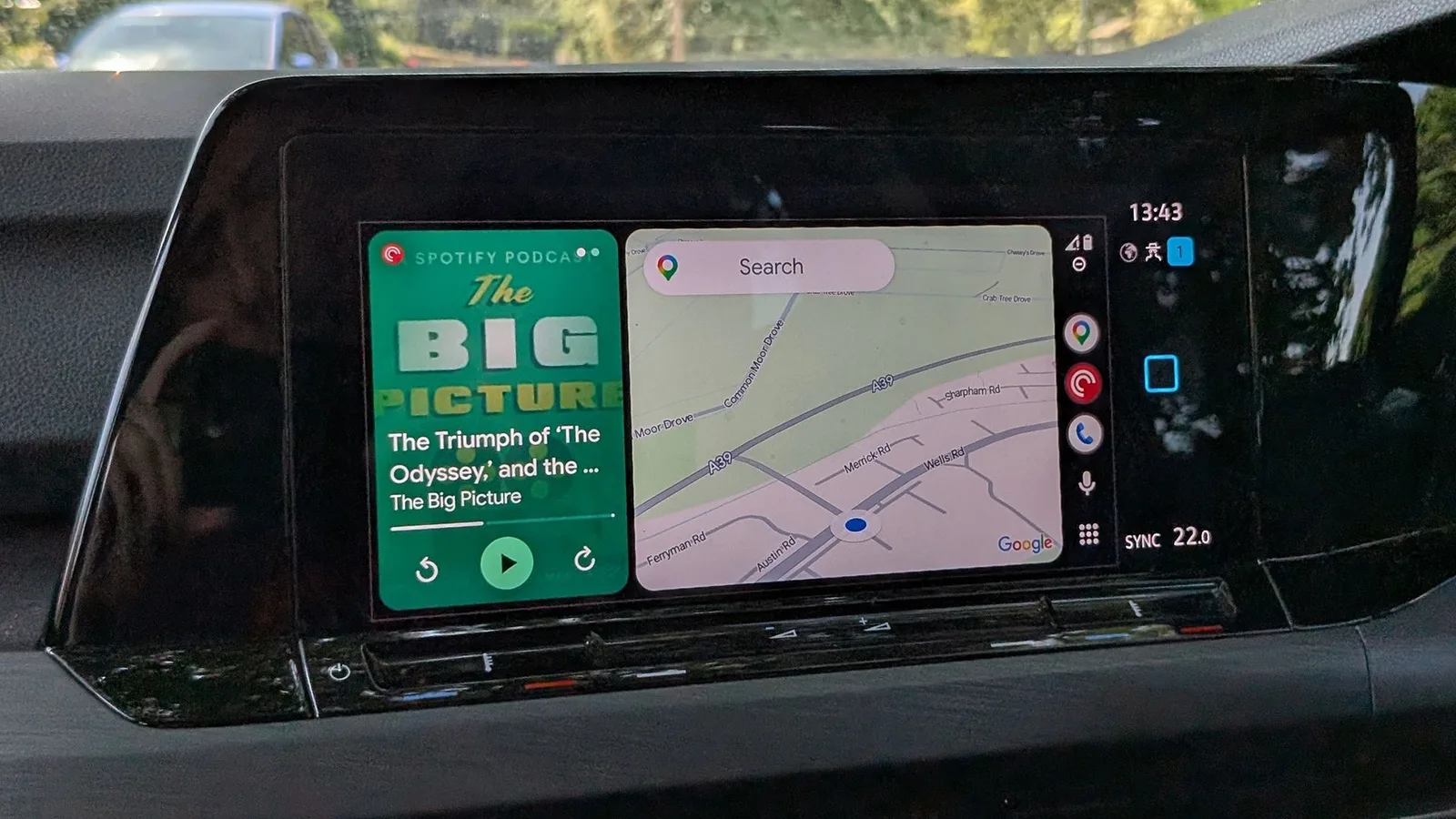
Google has begun fixing an Android Auto bug that has caused the cellular network signal icon to disappear for some users over the past few weeks. The stable version 17.8 of Android Auto is now rolling out, and according to user reports, the issue has been resolved after the update. The bug did not appear on all devices, and in some cases the icon temporarily returned. Google confirmed several days ago that the fix would be rolled out to users gradually.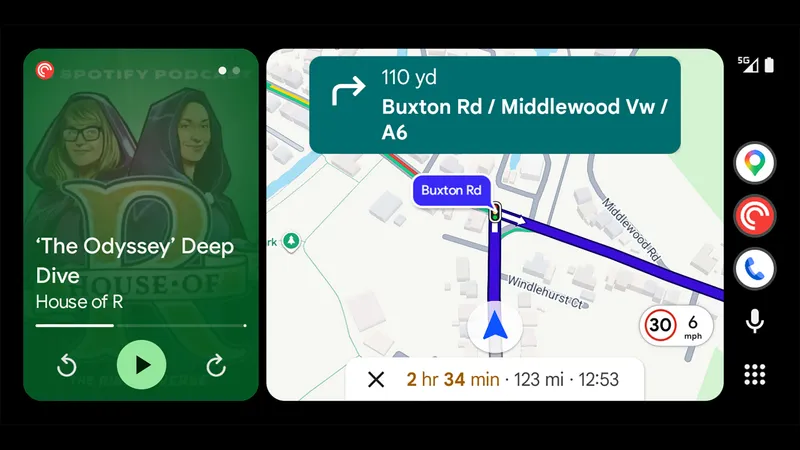 Those experiencing this issue should open the Google Play Store on their phone and check for an Android Auto update. If the update button appears, they simply need to install version 17.8. If the button is not there, the app may have already been updated automatically. To see the installed version, open the apps section in the phone's settings and select Android Auto. The version number is displayed at the bottom of the screen. The version number can also be checked in the Android Auto app's settings. If the signal icon still does not appear after version 17.8 is installed, it is recommended that you clear the app's cache, meaning its temporary files. To do this, go to the apps section in the phone's settings and select Android Auto. Then clear the cache from the storage section. If the Android Auto 17.8 update is not yet available, it is safer to wait for it to reach the device over the next few days. Those in a hurry can download the installation file to their phone from a trusted site such as APKMirror and open it with a file manager. However, caution is required when installing software from outside the official store. Therefore, it is recommended that you wait for the update through the official store.
Those experiencing this issue should open the Google Play Store on their phone and check for an Android Auto update. If the update button appears, they simply need to install version 17.8. If the button is not there, the app may have already been updated automatically. To see the installed version, open the apps section in the phone's settings and select Android Auto. The version number is displayed at the bottom of the screen. The version number can also be checked in the Android Auto app's settings. If the signal icon still does not appear after version 17.8 is installed, it is recommended that you clear the app's cache, meaning its temporary files. To do this, go to the apps section in the phone's settings and select Android Auto. Then clear the cache from the storage section. If the Android Auto 17.8 update is not yet available, it is safer to wait for it to reach the device over the next few days. Those in a hurry can download the installation file to their phone from a trusted site such as APKMirror and open it with a file manager. However, caution is required when installing software from outside the official store. Therefore, it is recommended that you wait for the update through the official store.