
21:06Machine-translated from Russian by AIRead in Azerbaijani
Microsoft Turns Windows 11 Search Into a System Control Panel With Text Commands
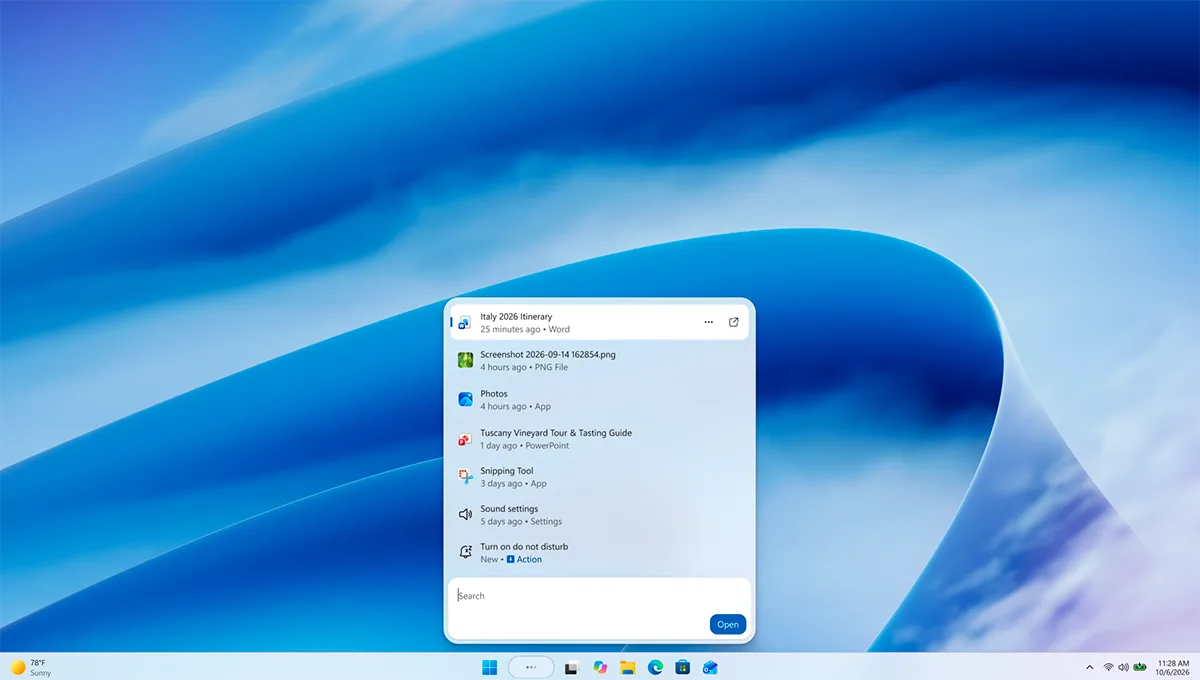
Microsoft has unveiled an updated version of the built-in search tool in Windows 11, turning the familiar search feature into a full-fledged control center for the operating system. The key change is that users can now not only find local files and apps, but also perform complex system actions without opening the Settings menu.
The new version of Windows Search features deep integration of quick text commands: users can type “turn on dark mode,” “activate night light,” or “turn on Bluetooth” directly into the search bar. The system instantly recognizes the request and applies the changes. Other everyday commands are supported in the same way, such as precisely adjusting the screen brightness or instantly muting the sound.

The new feature also greatly simplifies everyday multitasking and workspace management. As a demonstration, Microsoft showed commands for automatically arranging windows in a grid on the screen using Snap Layouts or quickly minimizing all open programs with a single phrase. The developers plan to continuously expand the range of available actions, turning the search bar into a text-based control console. At the same time, the traditional file search function has not disappeared and now works significantly better. The updated Windows Search has been fully migrated to the modern WinUI 3 graphical framework. According to company representatives, this has not only refreshed the interface visually, but also made search several times faster while reducing the load on the computer’s system resources.
The search interface itself has undergone radical changes: Microsoft has completely abandoned the cumbersome layout with a huge preview pane on the right. It has been replaced by a single, concise, and neatly organized list of results that is much easier to review and scroll through. The internal search query processing algorithms have also become noticeably smarter: the system can now easily understand natural language, recognize accidental typos, and take contextual synonyms into account, allowing it to determine the user’s intent more accurately.

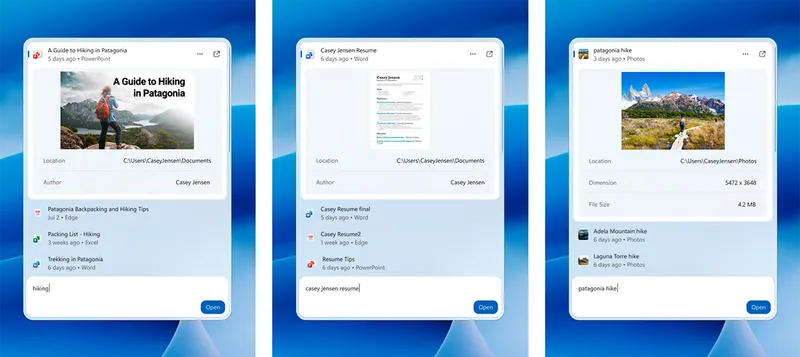
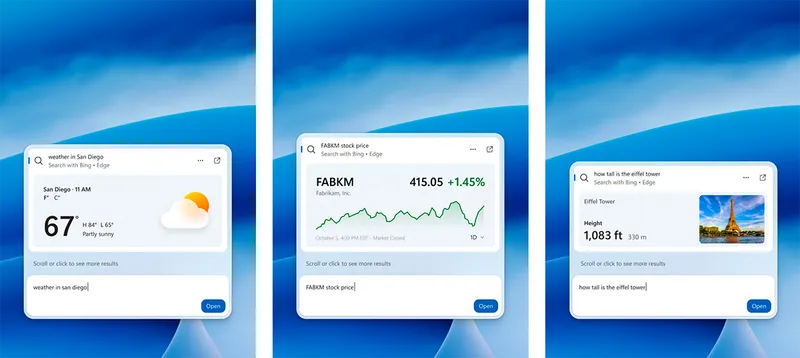
A major step in the system’s evolution is the deep integration of Microsoft Copilot’s artificial intelligence features directly into the search window. Users can now summon the smart assistant, ask it a question, or generate text directly from the Windows Search interface, with answers appearing in the same window and eliminating the need to launch a separate app or browser. By the end of this year, the company plans to add built-in previews of documents and photos, detailed file metadata, and enhanced web page previews. In addition, thanks to smartphone integration through the Phone Link app, users will be able to perform mobile actions remotely from Windows Search, such as sending text messages instantly.
The updated Windows Search is currently available for testing by members of the Windows Insider Program. To ensure maximum command recognition accuracy during the initial phase of the global rollout, the system temporarily supports interaction only in English, but the company plans to significantly expand its geographic availability and language support in subsequent builds.