
17:01Machine-translated from Azerbaijani by AIRead in Azerbaijani
What Does This Hidden System on Your Android Phone Do?
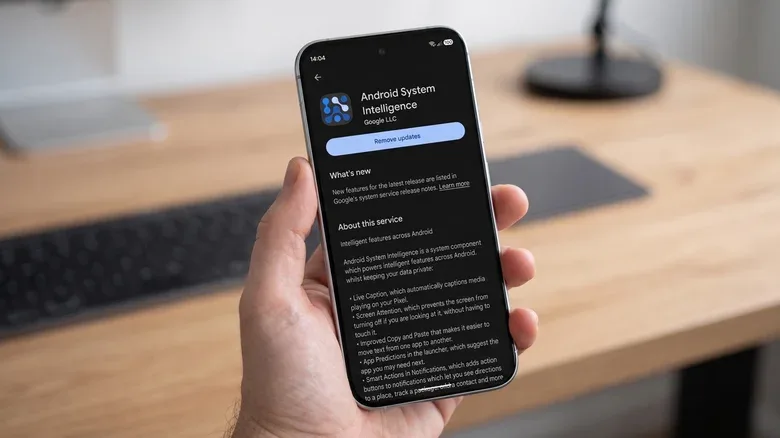
If you look closely at the list of apps on your Android phone, you may come across a system component called Android System Intelligence. Although its name sounds quite serious, it is not a standalone app that you use. Instead, it is a system service that enables a number of smart Android features to run in the background. Android System Intelligence, or ASI for short, was developed by Google and helps the phone behave more intelligently based on the user. ASI plays a role in many features, particularly on Google Pixel smartphones. These include Now Playing, which identifies music playing nearby; Live Caption, which automatically adds captions to videos; Screen Attention, which prevents the screen from turning off while you are looking at it; smart screen rotation; app predictions; smart copying; and suggested actions in notifications. On some devices, features such as Live Translate, Assistant Voice Typing, and in-app search may also use Android System Intelligence. Supported capabilities vary depending on the smartphone manufacturer and Android version. Android System Intelligence operates in a dedicated Android environment called the Private Compute Core. Google introduced this system with Android 12. Machine learning features running there do not have direct internet access. When data or an update is required from the cloud, a separate component called Private Compute Services handles the connection.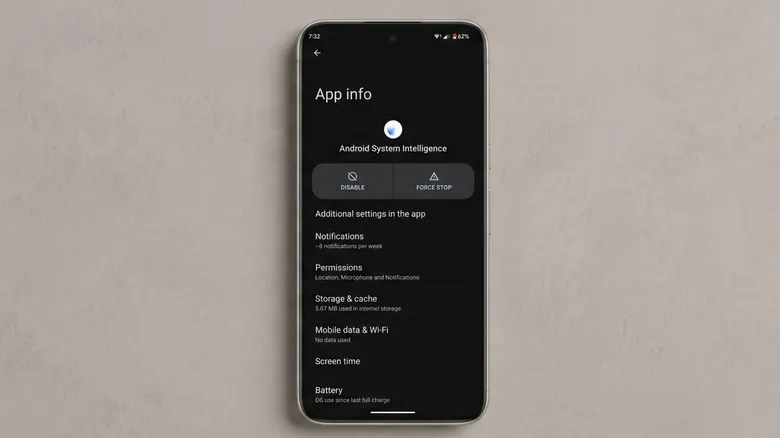 Google says Android System Intelligence and Private Compute Services may collect crash reports, diagnostic data, and device identifiers for app analytics purposes. The sending of usage and diagnostic data can be turned off in settings. ASI may also have access to certain system permissions, such as contacts. For example, access to contacts may be used to intelligently suggest people you communicate with frequently. Because ASI is a system component, it cannot be uninstalled like a regular app. However, on some Android phones, the component can be disabled under Settings > Apps. If you disable it, the phone's calling, messaging, and other basic functions should continue to work. The problem is that you may lose some of Android's smart features. For example, on Pixel phones, Now Playing, Live Caption, and other contextual features may stop working. The specific features that stop working depend on the phone model. Google does not provide a single list of features that are disabled when ASI is turned off across all Android devices. Therefore, if you have concerns about privacy or a specific permission, it is more appropriate to disable the problematic feature or permission individually rather than turning off Android System Intelligence completely. If Android System Intelligence frequently encounters errors, Google recommends restarting the phone, installing system updates, force-stopping the app, and clearing its cache and data when necessary instead of permanently disabling the component.
Google says Android System Intelligence and Private Compute Services may collect crash reports, diagnostic data, and device identifiers for app analytics purposes. The sending of usage and diagnostic data can be turned off in settings. ASI may also have access to certain system permissions, such as contacts. For example, access to contacts may be used to intelligently suggest people you communicate with frequently. Because ASI is a system component, it cannot be uninstalled like a regular app. However, on some Android phones, the component can be disabled under Settings > Apps. If you disable it, the phone's calling, messaging, and other basic functions should continue to work. The problem is that you may lose some of Android's smart features. For example, on Pixel phones, Now Playing, Live Caption, and other contextual features may stop working. The specific features that stop working depend on the phone model. Google does not provide a single list of features that are disabled when ASI is turned off across all Android devices. Therefore, if you have concerns about privacy or a specific permission, it is more appropriate to disable the problematic feature or permission individually rather than turning off Android System Intelligence completely. If Android System Intelligence frequently encounters errors, Google recommends restarting the phone, installing system updates, force-stopping the app, and clearing its cache and data when necessary instead of permanently disabling the component.